

Building a Budget When Your Income Varies Month to Month
Stop guessing about next month’s earnings. Learn the income averaging technique that helps gig workers plan with confidence.
Read ArticleStop losing money to disorganized receipts. We’ll show you a straightforward tracking method that takes 10 minutes a week.

Here’s the thing about freelance and gig work in Malaysia — you’re responsible for tracking everything yourself. No HR department handing you a payslip, no employer keeping records. That means disorganized expenses don’t just create headaches at tax time, they cost you real money.
When you claim legitimate business expenses, you reduce your taxable income. That’s not avoiding taxes, that’s using the system properly. But you can’t claim what you can’t prove. We’ve seen gig workers leave thousands on the table because they couldn’t document their spending.
The good news? You don’t need fancy accounting software or an accountant to get started. A simple system that takes 10 minutes weekly will handle most of what you need.

This approach works whether you’re a freelancer, e-hailing driver, content creator, or selling online. You’re going to capture, categorize, and confirm.
Within 24 hours of spending, photograph or scan your receipt. Don’t wait until Friday to organize the week. Take a photo with your phone — that’s it. Most phones have a built-in scanner app now. If you paid digitally, screenshot the transaction confirmation. The key: one receipt, one photo, stored in a folder.
Create a folder structure on your phone or computer like: Expenses/2026/March/. Date matters because tax authorities want to see you tracked spending throughout the year, not just gathered everything in December.
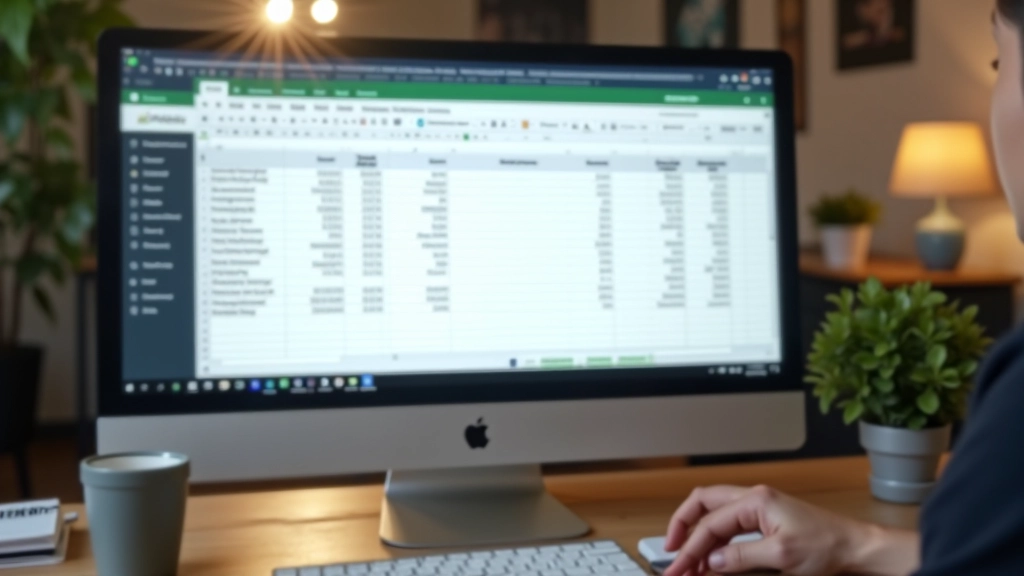
Every Sunday evening (or whenever works for you), spend 5-10 minutes entering your receipts into a simple spreadsheet. You don’t need accounting software. Google Sheets is free and works perfectly. Set up columns: Date, Description, Category, Amount (RM).
Common categories for gig workers: Equipment & Tools, Transportation, Internet & Phone, Software Subscriptions, Supplies, Training & Professional Development, Office Space (if renting). Keep categories broad enough that you’re not creating 20 categories, but specific enough that you know what everything is.
Pro tip: Add a “Notes” column. Write where you spent it or what it was for. “Printer ink — for client proposals” is better than just “Printer ink.”
Once a month, do a 10-minute check. Look at your spreadsheet totals by category. Does RM500 on “Software” seem right? Did you spend that much on internet? If something looks off, go back to your receipt photos and verify. You’re not doing detailed audits — just sanity checking.
At the end of each quarter, add up your totals. You’ll see exactly how much you’ve spent on business expenses. This number becomes important when you estimate your quarterly tax payments and when you file your annual return.
Keep it simple. You don’t need to buy anything.
Free spreadsheet software. Create your expense tracker here. It’s cloud-based, so you can access it from any device. No software to install, no subscription fees.
Your phone already has a scanner app (most do). Use it to photograph receipts immediately. Or use Google Drive’s built-in scanner. Free and instant.
Google Drive (15GB free), OneDrive, or Dropbox. Organize your receipt photos by month and category. Having everything backed up means you won’t lose important documents.
Digital receipts from online purchases come via email. Create a folder in Gmail or your email provider specifically for receipts and invoices. Search by sender or date when you need to verify something.
Don’t overthink this. You don’t need to set up the perfect system before you start tracking. In fact, perfect is the enemy of done. Here’s what you’re going to do today:
That’s genuinely it. You’re not becoming an accountant. You’re just creating a paper trail that proves your expenses are legitimate. When tax season comes around, you’ll have everything organized. When you estimate your quarterly payments, you’ll know exactly what you’ve spent.
Not everything you spend money on counts as a business expense. The rule is simple: did you spend this money specifically to earn your gig income? If yes, it’s probably deductible.
When in doubt, track it anyway and keep the receipt. You can always decide later whether to claim it. It’s better to have documentation and not need it than to lose a legitimate deduction because you didn’t keep the receipt.

“I used to lose receipts and guess at my expenses. Now I photograph everything immediately and spend 5 minutes on Sundays updating my sheet. At tax time, everything’s already organized. It’s literally saved me hours and I’m confident I’m claiming what I’m entitled to.”
— Priya, freelance graphic designer
You’re not running a corporation. You don’t need enterprise accounting software. What you need is a method that takes 15 minutes a week and actually gets used.
This system works because it fits real life. You take a photo when you spend money (something you’d do anyway). You spend a few minutes weekly entering data. You check in monthly to make sure things look right. That’s all.
The payoff? You’ll reduce your taxable income, you’ll have proof of your expenses if authorities ask questions, and you’ll understand exactly where your money goes. For gig workers in Malaysia managing irregular income, that clarity matters. It helps you budget better, it protects you at tax time, and it means you’re not leaving money on the table.
Start today. Create one spreadsheet. Take one receipt photo. That’s your first step. Next week, you’ll do the same thing for all your expenses. In a month, you’ll have a system that actually works.
The next step is understanding how your business expenses connect to your quarterly tax estimates and voluntary EPF contributions. We’ve got guides for both.
Learn About Quarterly Taxes

This article provides educational information about business expense documentation for gig workers in Malaysia. It is not professional tax advice, accounting guidance, or legal counsel. Tax regulations change, and individual circumstances vary significantly.
For your specific situation — especially regarding what qualifies as deductible expenses, how to handle GST (if applicable), or how expenses interact with your voluntary EPF contributions — consult a qualified tax professional or accountant familiar with Malaysian tax law and gig economy work. The Inland Revenue Board of Malaysia (IRBM) website and your accountant are your best resources for current, authoritative guidance.
This guide is meant to help you organize your documentation and understand the process. The actual tax implications depend on your specific income, expenses, and circumstances.